Home Room Canvas Art Mockup Bundle: Bringing Digital Designs to Life in Realistic Settings
For graphic designers, interior decorators, and digital artists, the gap between a flat file on a screen and a tangible product in a home is often where sales are lost or won. Clients struggle to visualize how a piece of art will look in their living space, and creators find it difficult to convey the scale and texture of their work through simple JPEG exports. This is where the Home Room Canvas Art Mockup Bundle becomes an essential tool in your creative workflow. It is not just a template; it is a bridge between digital creation and physical reality, allowing you to present your artwork in elegant, modern 3D render scenes that look indistinguishable from professional photography.
Why Context Matters in Visual Presentation
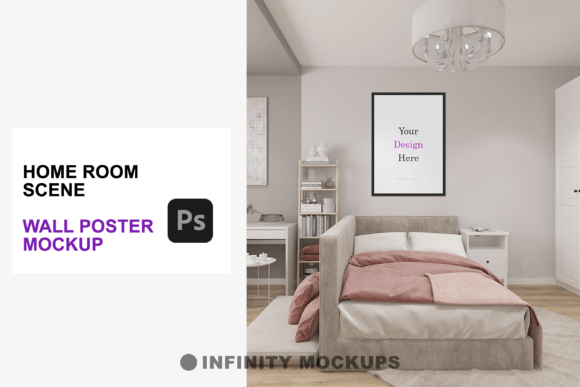
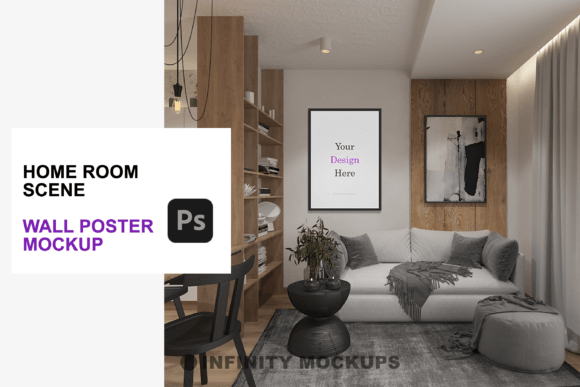
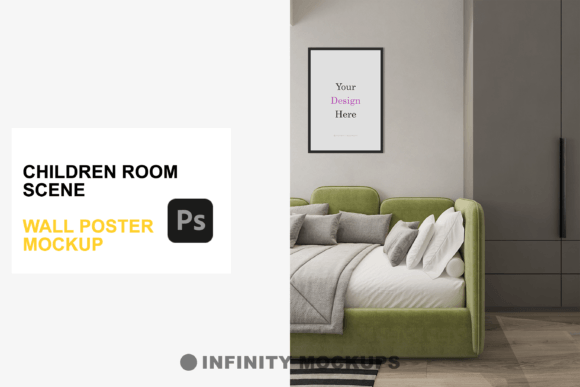
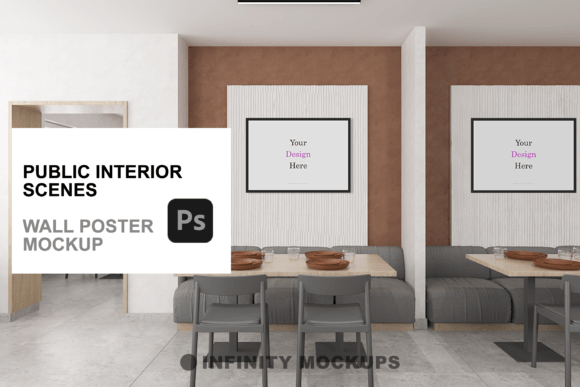
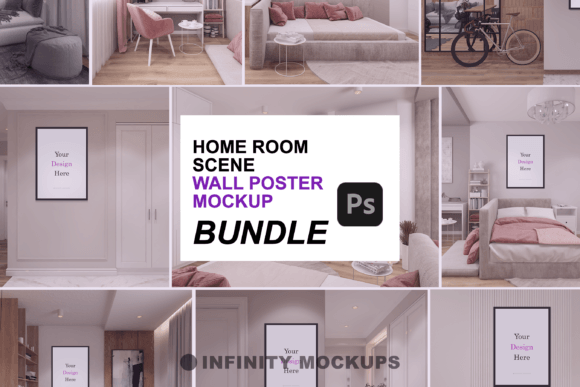
When you are selling wall art, posters, or framed prints, the background context is nearly as important as the art itself. A design floating on a white background tells a customer nothing about how it fits into a lifestyle. The Home Room Canvas Art Mockup Bundle solves this by placing your design into intricately rendered 3D room scenes. These environments are crafted with precision, ensuring that lighting and shadows dance elegantly across your canvas. This level of realism helps potential buyers imagine the piece hanging in their own homes, significantly increasing the likelihood of a purchase.
Consider the difference between sending a client a flat proof of a family portrait versus showing them that same portrait framed in a warm wooden frame, hanging on a textured wall in a cozy, sunlit living room. The latter evokes emotion and demonstrates value. By using high-quality mockups, you elevate your artistry, making your portfolio look professional and your products feel attainable.
Versatility Through Frame and Shape Options
One of the standout features of this bundle is its adaptability. Not every piece of art suits the same aesthetic, and rigid templates often force creators to compromise their vision. This package includes four distinct frame styles: Black, White, Wooden, and Custom Color. This variety allows you to match the frame to the tone of your artwork or the interior design style of the target audience. For instance, a minimalist black-and-white photograph might pop best in a sleek black frame, while a vibrant landscape painting could benefit from the warmth of a wooden border.
Beyond color, the bundle addresses aspect ratios with three different frame shapes: square (1:1), vertical rectangle, and horizontal rectangle. This ensures that whether you are designing a Instagram-ready square print, a classic portrait orientation, or a panoramic landscape, your mockup will fit perfectly without awkward cropping or stretching. The ability to toggle between these options means you can create a cohesive product line presentation from a single source file, saving hours of setup time.
The Power of Subtlety: Fade Effects and Visual Focus
In visual marketing, sometimes less is more. The Home Room Canvas Art Mockup Bundle includes a unique fade effect layer that allows you to control the prominence of your image. This feature is particularly useful when you want to highlight the texture of the canvas or the quality of the frame rather than the specific details of the artwork. By toggling this effect, you can create a subtle, atmospheric image that suggests elegance and sophistication, or you can disable it to let the colors of your design stand out boldly.
This functionality empowers you to concentrate the visual impact exactly where you want it. For example, if you are marketing a high-end framing service, you might use the fade effect to draw attention to the craftsmanship of the frame itself. Conversely, if you are promoting a limited-edition print, you would likely keep the image fully vibrant to showcase the artistic detail. This level of control gives your final images a unique touch that generic mockups simply cannot offer.
Real-World Use Cases for Different Creators
The utility of this mockup bundle extends far beyond traditional graphic design. Here is how different professionals and hobbyists can leverage these tools in their daily workflows:
- E-commerce Sellers: If you run an Etsy shop or a Shopify store selling printable wall art, high-quality listing images are critical. Using these realistic room scenes allows you to create consistent, professional-looking product photos without the expense of staging actual photo shoots. You can update your inventory visuals instantly as you add new designs.
- Interior Designers: When presenting concepts to clients, designers can use the mockup to show how a specific piece of art complements a room’s color palette and furniture arrangement. The realistic lighting and shadows help clients make confident decisions about decor choices.
- Freelance Illustrators: Building a portfolio that stands out requires showing your work in context. Instead of posting flat scans of your illustrations, you can display them as framed pieces in stylish home settings. This demonstrates to potential clients that your work is ready for production and sale.
- Marketing Agencies: For campaigns involving home goods or lifestyle brands, having quick access to realistic interior scenes allows for faster content creation. You can composite brand messaging or promotional graphics onto the canvas area, creating engaging social media ads that feel organic and relatable.
Seamless Integration and Ease of Use
Technical barriers often discourage creators from using advanced mockups, but this bundle is designed for seamless integration. Included in the package is an additional PSD file specially structured for ease of use. With smart object layers, you can simply drag and drop your artwork into the designated area, and the mockup automatically applies the correct perspective, lighting, and texture effects. This means you do not need advanced Photoshop skills to achieve professional results.
The inclusion of a video tutorial further ensures that even beginners can navigate the file structure with confidence. This educational component reduces the learning curve, allowing you to focus on creativity rather than troubleshooting technical issues. Whether you are a seasoned designer or a small business owner handling your own marketing, the intuitive setup saves time and reduces frustration.
What to Consider Before Choosing Your Mockup Strategy
While the Home Room Canvas Art Mockup Bundle offers extensive features, it is important to align its use with your specific goals. Consider the resolution requirements of your platform. If you are printing large-format banners, ensure your source artwork is high enough resolution to look crisp within the mockup’s detailed texture. Additionally, think about your brand identity. Do the included room scenes match the aesthetic of your target audience? The modern, elegant renders are versatile, but always verify that the lighting and decor style complement your specific niche.
Another consideration is consistency. Using the same set of mockups across your product line creates a recognizable brand language. However, rotating between the different frame styles and angles provided in the bundle keeps your social media feed dynamic and engaging. Balance consistency with variety to maintain viewer interest.
Elevating Your Digital Presence
In a crowded digital marketplace, presentation is everything. The Home Room Canvas Art Mockup Bundle provides the tools necessary to transform simple digital files into compelling visual stories. By leveraging realistic 3D scenes, versatile framing options, and intelligent lighting controls, you can create presentations that resonate with viewers on an emotional level. Whether you are looking to boost e-commerce conversions, impress clients with professional proofs, or enhance your portfolio, this bundle offers a practical, high-impact solution. Invest in the way you present your work, and watch as your audience’s engagement and appreciation grow.