Home Room Wall Frame Mockup: A Practical Review for Designers
In the competitive landscape of digital art and interior design marketing, presentation is often just as critical as the creation itself. Whether you are a graphic designer showcasing a new print series, an Etsy seller listing wall art, or an interior decorator pitching a concept to a client, the ability to visualize a piece in a realistic environment can significantly influence decision-making. This is where the Home Room Wall Frame Mockup becomes an essential tool in your creative workflow. It bridges the gap between a flat digital file and a tangible, desirable product, allowing viewers to imagine how artwork integrates into a living space.
This article evaluates the features, usability, and practical applications of this specific mockup package, which includes both static Photoshop files and a video tutorial. By examining its technical specifications and real-world performance, we aim to determine whether this asset meets the professional standards required by modern creatives and businesses.
Understanding the Core Value Proposition
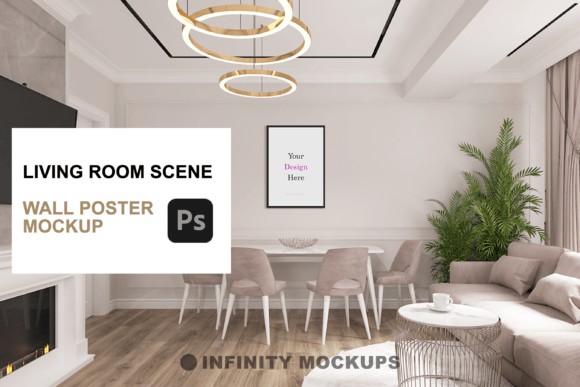
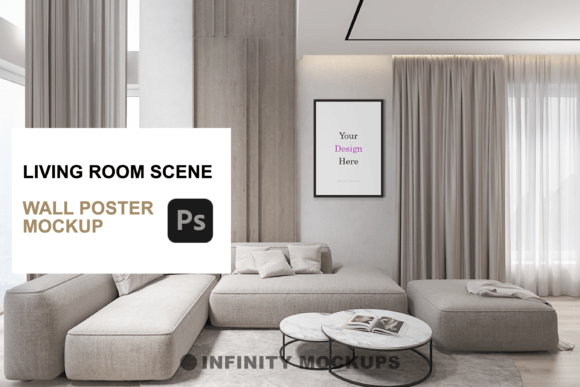
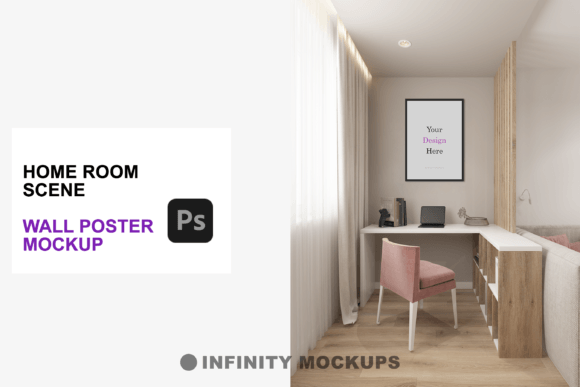
A mockup is more than just a background image; it is a contextual vehicle for your design. The primary purpose of the Home Room Wall Frame Mockup is to provide a high-fidelity, three-dimensional rendering of a room scene where your artwork is displayed within a framed poster. Unlike basic overlays that simply place an image on a wall, this tool utilizes advanced lighting and shadow mapping to ensure the final composite looks authentic.
The inclusion of a video tutorial alongside the PSD files indicates a focus on user experience, acknowledging that not all designers are equally proficient in complex Photoshop techniques. This combination of assets suggests a product designed for efficiency, aiming to reduce the time spent on manual adjustments while maintaining a high standard of visual quality.
Key Features and Technical Specifications
To assess the utility of this mockup, it is necessary to break down its constituent elements. The package is built around several core features that contribute to its flexibility and realism.
- Realistic 3D Render Scene: The foundation of the mockup is an intricately rendered room environment. The attention to detail in the lighting—how it falls across the frame and casts subtle shadows on the wall—is crucial for achieving photorealism. Poorly lit mockups often look "pasted on," breaking the illusion. This asset aims to avoid that pitfall by simulating natural light dynamics.
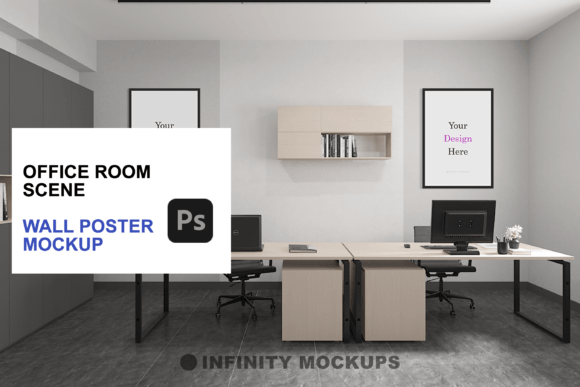
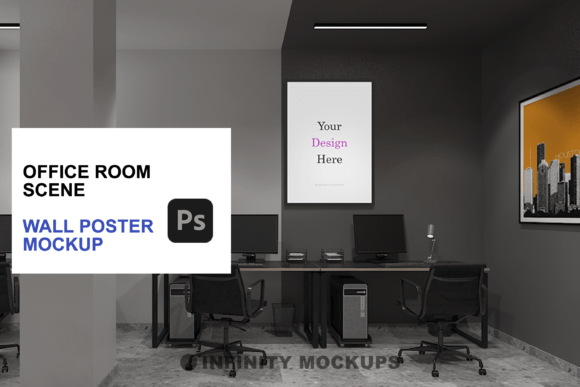
- Variety of Frame Styles: Versatility is key when presenting different types of art. The package includes four distinct frame options: Black, White, Wooden, and a Custom Color option. This range covers the most common interior design aesthetics, from modern minimalism to rustic or industrial styles.
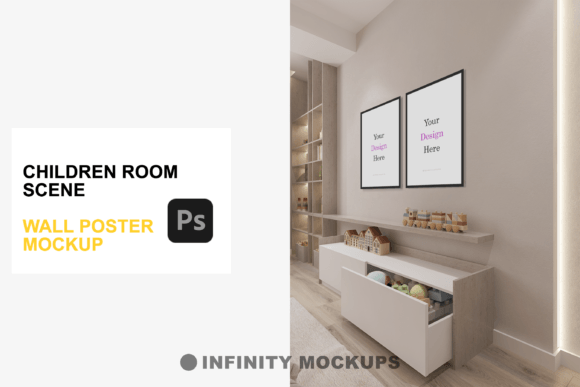
- Multiple Aspect Ratios: Artwork comes in various dimensions. The mockup automatically accommodates three different frame shapes: square (1:1), vertical rectangle, and horizontal rectangle. This eliminates the need for designers to manually warp or distort their images to fit a single rigid template.
- Fade Effect Layer: One of the more nuanced features is the toggleable fade effect layer. This allows users to adjust the prominence of the image, creating a subtler integration with the room’s ambient light. It provides control over the visual impact, enabling a balance between the artwork standing out and blending harmoniously with the environment.
- E-commerce Integration File: The inclusion of an additional PSD file tailored for e-commerce suggests an understanding of the end-user’s needs. This file is likely optimized for web use, ensuring faster load times and correct color profiles for online storefronts.
Usability and Workflow Efficiency
For professionals and freelancers, time is a finite resource. The effectiveness of any design asset is largely determined by how seamlessly it integrates into existing workflows. The Home Room Wall Frame Mockup appears to prioritize ease of use through its smart object functionality. In Adobe Photoshop, smart objects allow users to double-click a layer, paste their design, and save, with the changes automatically updating in the main composition. This non-destructive editing process preserves the original integrity of the mockup while allowing for rapid iteration.
The accompanying video tutorial further enhances usability. For less experienced users or those unfamiliar with specific Photoshop features like perspective warp or lighting adjustments, a guided walkthrough can reduce frustration and learning curves. This educational component adds value beyond the raw files, empowering users to troubleshoot issues independently.
However, it is important to note that while the tool simplifies the process, it still requires a basic understanding of layer management and resolution settings. Users must ensure their source artwork is of sufficient quality (typically 300 DPI for print-ready previews) to avoid pixelation when viewed up close in the high-resolution render.
Real-World Applications and Audience Fit
Who benefits most from this type of asset? The utility of the Home Room Wall Frame Mockup extends across several professional domains:
- E-commerce Sellers and Print-on-Demand Artists: For individuals selling wall art on platforms like Etsy, Shopify, or Amazon, high-quality product images are directly correlated with conversion rates. Customers cannot physically touch the product, so they rely on visual cues to judge quality and scale. A realistic room scene helps buyers visualize the size of the piece relative to furniture and decor, reducing uncertainty and potential returns.
- Interior Designers and Architects: Professionals in these fields often need to present concepts to clients quickly. Instead of commissioning expensive 3D renders for every variation, using a high-quality mockup allows for rapid prototyping. Designers can swap out artwork to show clients how different pieces affect the mood of a room, facilitating faster decision-making.
- Graphic Designers and Agencies: When presenting branding materials or promotional posters to clients, context matters. Showing a poster in a sterile white void is less impactful than showing it in a lived-in, stylish home environment. This mockup provides a polished, professional backdrop that elevates the perceived value of the design work.
- Social Media Content Creators: Influencers and bloggers in the home decor niche require consistent, aesthetically pleasing visuals. Using a standardized mockup ensures brand consistency across posts, making the feed look cohesive and professionally curated.
Evaluating Quality and Limitations
While the features are robust, no tool is without limitations. A critical evaluation must consider potential drawbacks. First, the reliance on a pre-rendered scene means that customization of the room itself is limited. If a user requires a specific wall color, flooring type, or furniture arrangement that differs from the provided scene, this mockup may not suffice. In such cases, a fully customizable 3D environment might be necessary, though that comes with a significantly higher time and skill cost.
Second, the realism of the final output depends heavily on the source image. If the artwork has inconsistent lighting or perspective compared to the room scene, the composite may look disjointed. Users must select artwork that aligns with the lighting direction of the mockup (e.g., if the light comes from the left, the artwork should not appear to be lit from the right). The fade effect layer helps mitigate this, but it is not a complete fix for fundamental lighting mismatches.
Furthermore, while the custom color frame option adds flexibility, achieving a perfect match to a specific brand color or interior paint shade may require careful color correction within Photoshop. Users should be prepared to spend a few minutes adjusting hue and saturation to ensure the frame blends naturally with the room’s palette.
Long-Term Value and Return on Investment
When considering the cost versus benefit, the Home Room Wall Frame Mockup offers significant long-term value. Unlike hiring a photographer to stage physical prints in a real home—which involves printing costs, shipping, staging, and photography fees—this digital solution allows for infinite variations at zero marginal cost. Once purchased, the asset can be reused indefinitely for different projects, clients, and products.
The consistency provided by using a single, high-quality mockup series also helps build brand recognition. Over time, audiences begin to associate the specific aesthetic of the mockup with the creator’s brand, fostering a sense of familiarity and trust. This intangible benefit contributes to the overall effectiveness of marketing efforts.
Final Recommendations
The Home Room Wall Frame Mockup is a well-rounded tool for designers and marketers who need to present artwork in a realistic, appealing context. Its strengths lie in its high-quality rendering, flexible frame options, and user-friendly structure. The inclusion of a video tutorial makes it accessible to a broader audience, from seasoned professionals to emerging creators.
It is best suited for those who prioritize efficiency and visual polish in their digital presentations. While it may not replace the need for fully customized 3D environments in highly specific architectural projects, it serves as an excellent middle ground for most commercial and creative applications. By leveraging this tool, users can elevate their portfolio presentations, improve e-commerce conversion rates, and streamline their design workflow, making it a worthwhile addition to any digital creative’s toolkit.